HR & Payroll
Employee Timesheet Automation
Turn raw timesheets into billable hours, utilisation, project cost and margin - automatically.
US$24one-time · no subscription
Tested in Microsoft Excel — 80 figures verified independently, 10,000-row test
Version 1.0 · Microsoft 365 / Excel 2021 or later (Windows & Mac) · Secure payment by Paddle
What it does
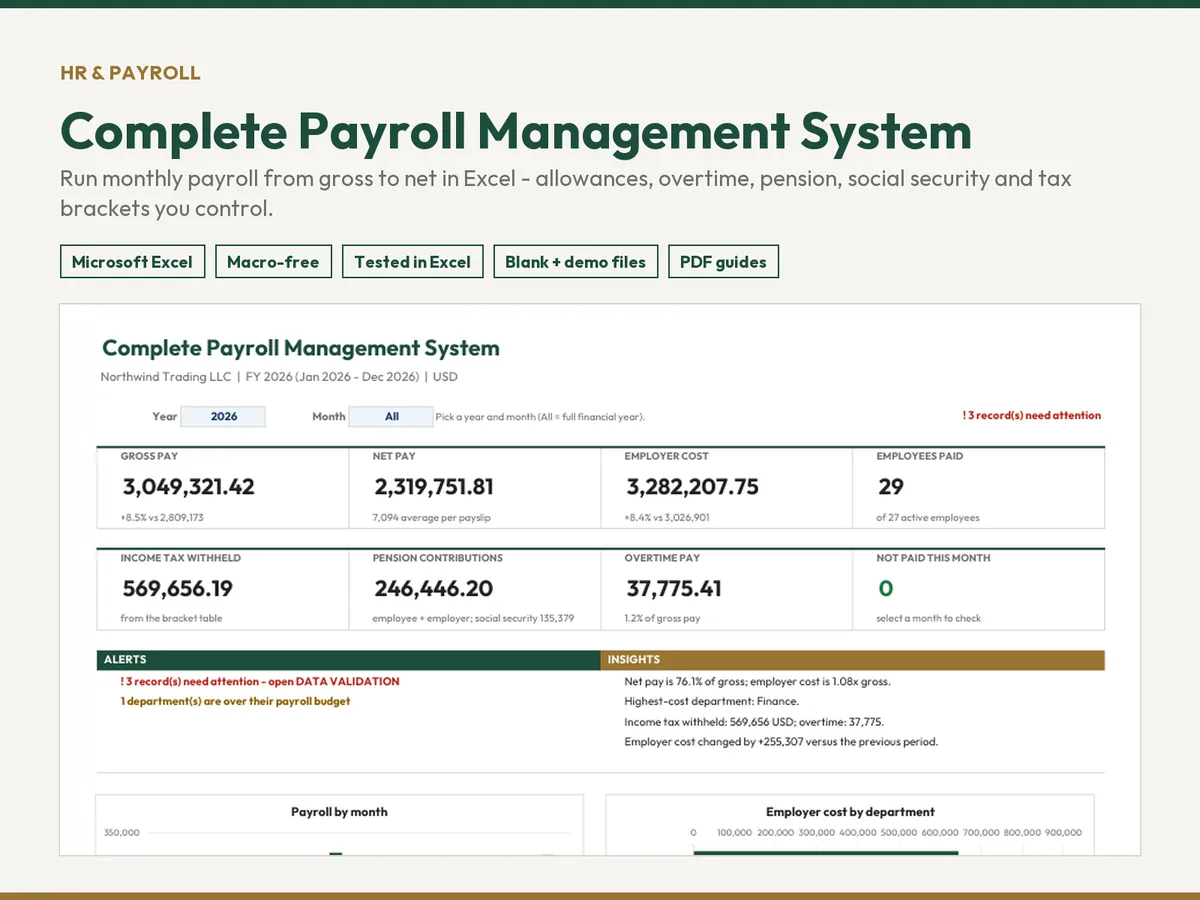
A timesheet and project-costing workbook for service firms. Keep your staff cost and bill rates and your projects (time-and-materials, fixed-fee or internal) as master lists, then paste time entries. The workbook prices every hour, recognises fixed-fee revenue by hours used against budget, measures utilisation against working capacity, flags over-budget projects, unapproved time and billing errors, and reports margin by project and person.
- Staff master with cost rate, bill rate and weekly capacity
- Projects master: time & materials, fixed fee or internal, with budget hours
- Automatic cost, bill rate (with project override) and billable value per entry
- Fixed-fee revenue recognised by percentage of budget hours used (capped at the fee)
- Utilisation vs capacity per person with an under-utilisation alert
- Project costing: hours, budget used, revenue, cost and margin
- Unapproved time and billable-on-internal-project checks
- Monthly billable vs non-billable trend
- Billing listing of approved billable time for invoicing
- Handles 10,000+ time entries
Who it's for
- Consultancies and agencies
- Engineering and IT service firms
- Accounting and legal practices
- Project managers and PMOs
- Operations and finance managers
What's inside
| Sheet | What it's for |
|---|---|
| HOME | Welcome page, navigation, data-health and alert counters, quick start. |
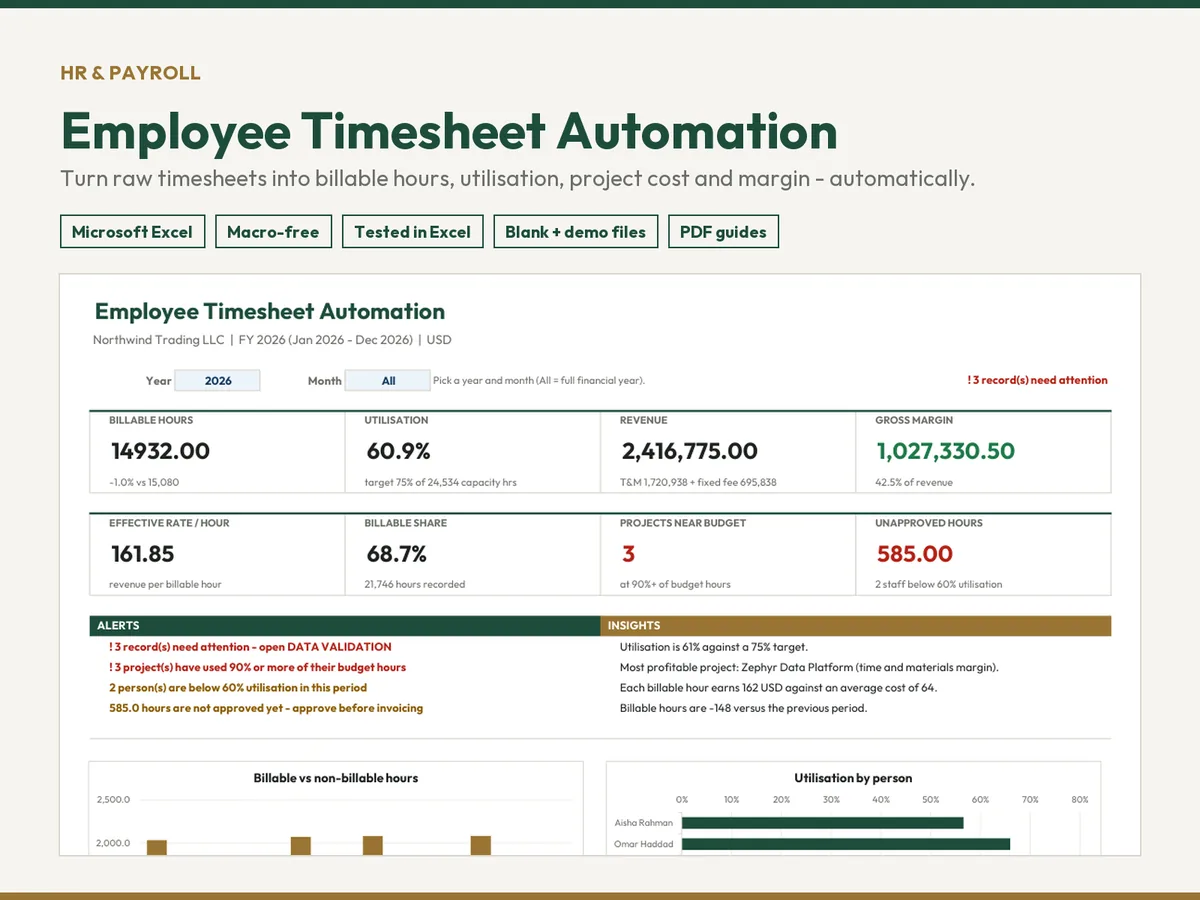
| DASHBOARD | Executive KPIs, charts, alerts and insights for the year/month you pick. |
| SETTINGS | Company name, currency, financial year and every business rule: Target utilisation, Under-utilisation alert below, Project budget alert at (% of budget hours). |
| STAFF | Master list: Staff and rates. |
| PROJECTS | Master list: Projects. |
| TIMESHEETS | Your data: Time entries. |
| DATA VALIDATION | Every row checked: missing fields, duplicates, invalid values and business-rule breaks. |
| PROJECT COSTING | Printable report: Project costing and margin. |
| UTILISATION | Printable report: Utilisation by person. |
| BILLING | Printable report: Approved billable time (time and materials). |
| CALCULATIONS | Protected calculation engine behind the dashboard and reports. |
| HELP | Column guide, troubleshooting, compatibility and privacy. |
| CHANGELOG | Version history. |
KPIs on the dashboard
- Billable hours
- Utilisation
- Revenue
- Gross margin
- Effective rate / hour
- Billable share
- Projects near budget
- Unapproved hours
Printable reports
- Project costing and margin
- Utilisation by person
- Approved billable time (time and materials)
What you get
- Employee_Timesheet_Automation_Blank.xlsx — your working copy
- Employee_Timesheet_Automation_Demo.xlsx — filled with fictional sample data
- PDF guides — quick start, user manual, FAQ, licence and version history
Compatibility
- Microsoft 365 / Excel 2021 or later (Windows & Mac)
- Excel for the web for data entry and the dashboard
- Not for Excel 2019 or earlier, Google Sheets or Numbers
- Macro-free, no external connections: your data never leaves your file
Good to know
- Capacity ignores public holidays and leave unless you adjust weekly capacity.
- Rates are current rates: changing a rate re-prices past entries too. Keep a copy of the workbook per rate period if you need history.
Employee Timesheet Automation
US$24 once. Blank and demo workbooks plus PDF guides, downloaded from your account.