HR & Payroll
Automated Payslip Generator
Pick an employee and a month - get a clean, printable payslip with year-to-date totals in one click.
US$29one-time · no subscription
Tested in Microsoft Excel — 84 figures verified independently, 10,000-row test
Version 1.0 · Microsoft 365 / Excel 2021 or later (Windows & Mac) · Secure payment by Paddle
What it does
Turns your payroll data into professional payslips. Keep an employee list and your own pay elements (earnings, deductions and employer contributions), then paste each month's pay lines from any payroll system or spreadsheet. Choose an employee and pay period from the dropdowns and the PAYSLIP sheet fills itself: employee and bank details, every earning and deduction with year-to-date totals, net pay and employer contributions - ready to print or save as PDF. A payslip register, bank payment list and net-pay change check help you review the run before you pay.
- Printable A4 payslip chosen from two dropdowns (employee and pay period)
- Your own pay elements: unlimited earnings, deductions and employer contributions
- Year-to-date totals per element, gross, deductions and net from the financial-year start
- Employee, department, designation, ID number and bank details on every payslip
- Payslip register for any pay period with net pay versus the previous month
- Bank payment list (employee, bank, account, net pay) for the selected period
- Net-pay change check flags payslips that moved more than your threshold
- Checks: unknown elements or employees, duplicate element lines, negative net pay, missing bank details
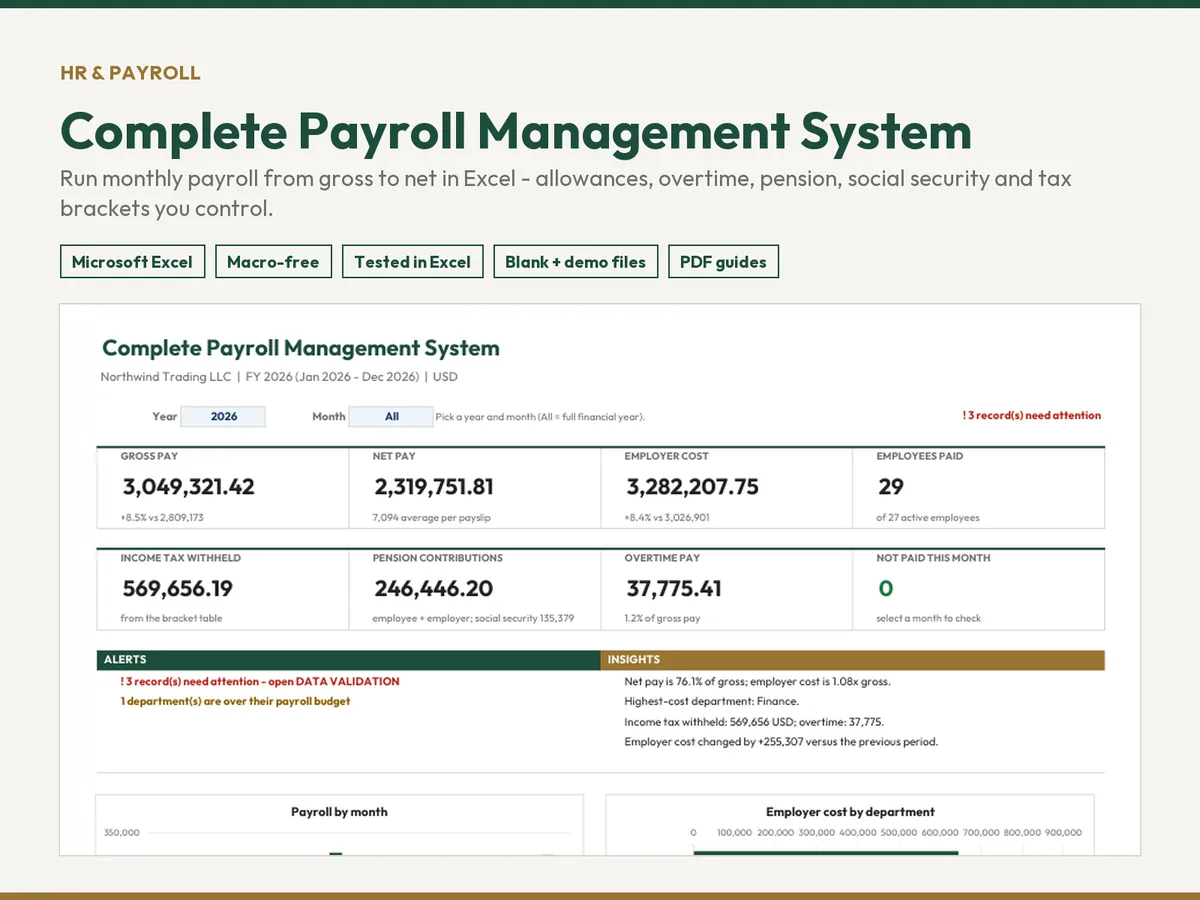
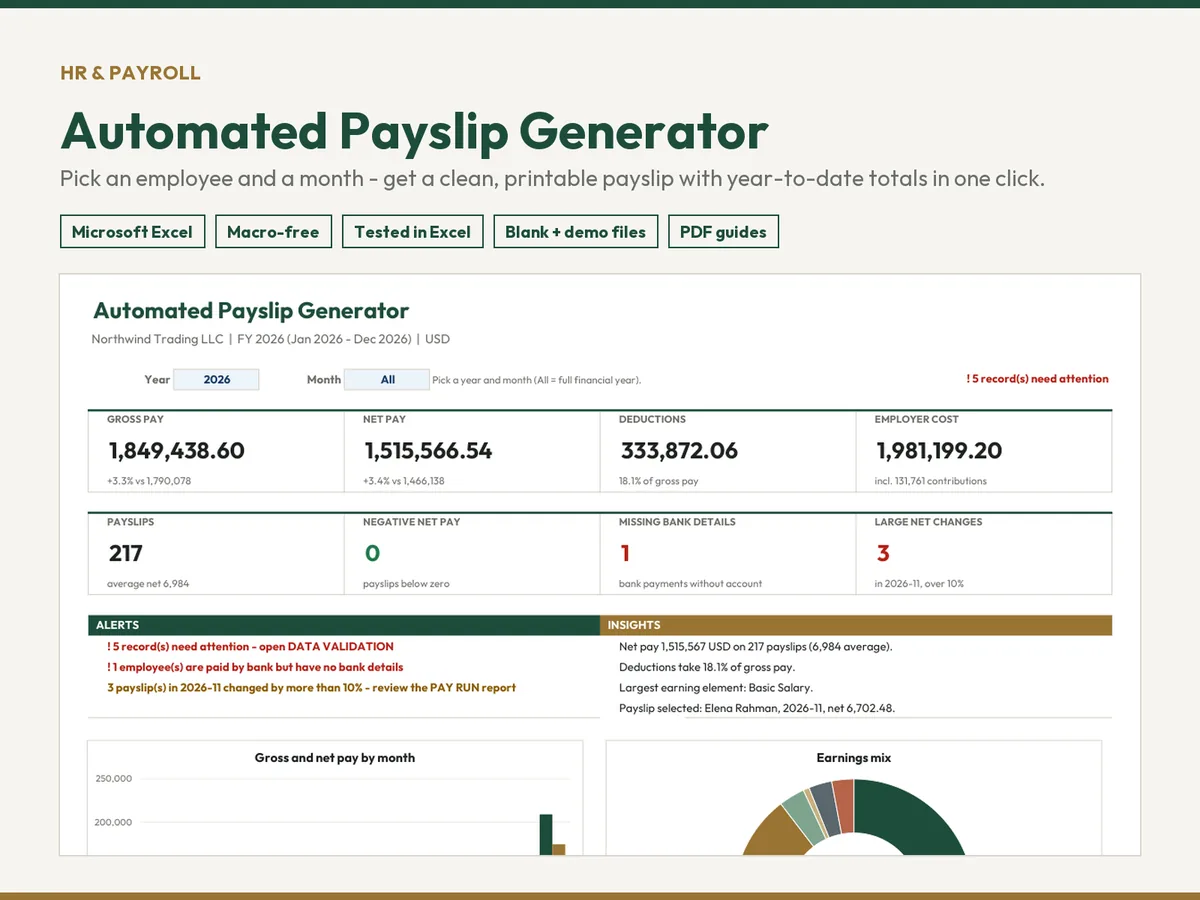
- Dashboard: gross, deductions, net, employer cost by month, element and department
Who it's for
- Small business owners who pay staff monthly
- Payroll and HR administrators
- Accountants issuing client payslips
- Schools, clinics and NGOs
- Companies whose payroll software prints poor payslips
What's inside
| Sheet | What it's for |
|---|---|
| HOME | Welcome page, navigation, data-health and alert counters, quick start. |
| DASHBOARD | Executive KPIs, charts, alerts and insights for the year/month you pick. |
| SETTINGS | Company name, currency, financial year and every business rule: Net pay change alert, Payslip footer note, Payroll contact. |
| EMPLOYEES | Master list: Employees. |
| PAY ELEMENTS | Master list: Pay elements. |
| PAY PERIODS | Master list: Pay periods. |
| PAY LINES | Your data: Pay lines. |
| DATA VALIDATION | Every row checked: missing fields, duplicates, invalid values and business-rule breaks. |
| PAYSLIP | Printable report: Payslip. |
| PAY RUN | Printable report: Pay run register. |
| BANK LIST | Printable report: Bank payment list. |
| CALCULATIONS | Protected calculation engine behind the dashboard and reports. |
| HELP | Column guide, troubleshooting, compatibility and privacy. |
| CHANGELOG | Version history. |
KPIs on the dashboard
- Gross pay
- Net pay
- Deductions
- Employer cost
- Payslips
- Negative net pay
- Missing bank details
- Large net changes
Printable reports
- Payslip
- Pay run register
- Bank payment list
What you get
- Automated_Payslip_Generator_Blank.xlsx — your working copy
- Automated_Payslip_Generator_Demo.xlsx — filled with fictional sample data
- PDF guides — quick start, user manual, FAQ, licence and version history
Compatibility
- Microsoft 365 / Excel 2021 or later (Windows & Mac)
- Excel for the web for data entry and the dashboard
- Not for Excel 2019 or earlier, Google Sheets or Numbers
- Macro-free, no external connections: your data never leaves your file
Good to know
- Payslips are produced one at a time from the dropdowns (no macros); bulk PDF export requires printing each selection.
- Amounts are taken as entered: no statutory tax or contribution calculation is performed.
- Up to 8 earning, 6 deduction and 3 employer-contribution elements are printed per payslip.
Automated Payslip Generator
US$29 once. Blank and demo workbooks plus PDF guides, downloaded from your account.