Inventory & Procurement
Barcode Inventory Manager
Scan a barcode into Excel and your stock, item lookup and reorder list update by themselves.
US$39one-time · no subscription
Tested in Microsoft Excel — 84 figures verified independently, 10,000-row test
Version 1.0 · Microsoft 365 / Excel 2021 or later (Windows & Mac) · Secure payment by Paddle
What it does
An inventory workbook built for barcode scanning. Any USB or Bluetooth barcode scanner that works as a keyboard (most do) types the code straight into the scan log, just as if you typed it; the workbook looks up the item, applies the action (receive, sell, return or adjust), keeps live on-hand quantities, values the stock at cost and retail, and lists what to reorder. A lookup sheet shows everything about one item the moment you scan it. No macros, drivers or add-ins are involved.
- Scan log designed for keyboard-wedge barcode scanners: scan into the Barcode column, the row fills itself
- Default action setting, so a whole goods-in or stock-take session needs only scans
- Quantity defaults to 1 per scan
- Live on-hand quantity, cost value and retail value per item
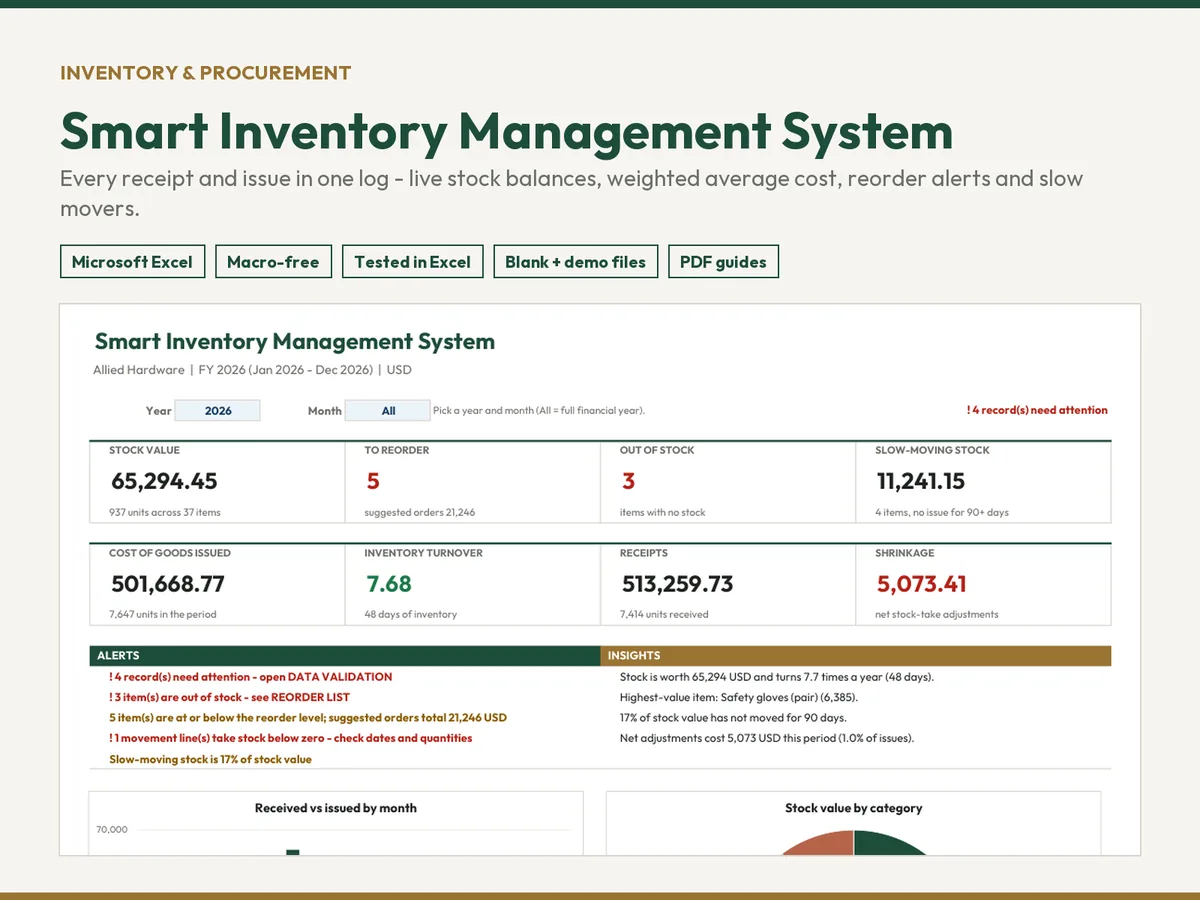
- Reorder list from reorder point and reorder quantity, plus out-of-stock items
- Scan-to-lookup sheet: description, location, price, stock and the item's latest scans
- Slow-moving stock: items with stock but no sales for a set number of days
- Monthly units in/out and sales value trend
- Checks: unknown barcodes, missing dates, duplicate barcodes in the item list
Who it's for
- Small shops and boutiques
- Stockrooms, stores and maintenance cribs
- E-commerce sellers packing from shelves
- Schools, labs and clinics tracking consumables
- Event and equipment rental teams
What's inside
| Sheet | What it's for |
|---|---|
| HOME | Welcome page, navigation, data-health and alert counters, quick start. |
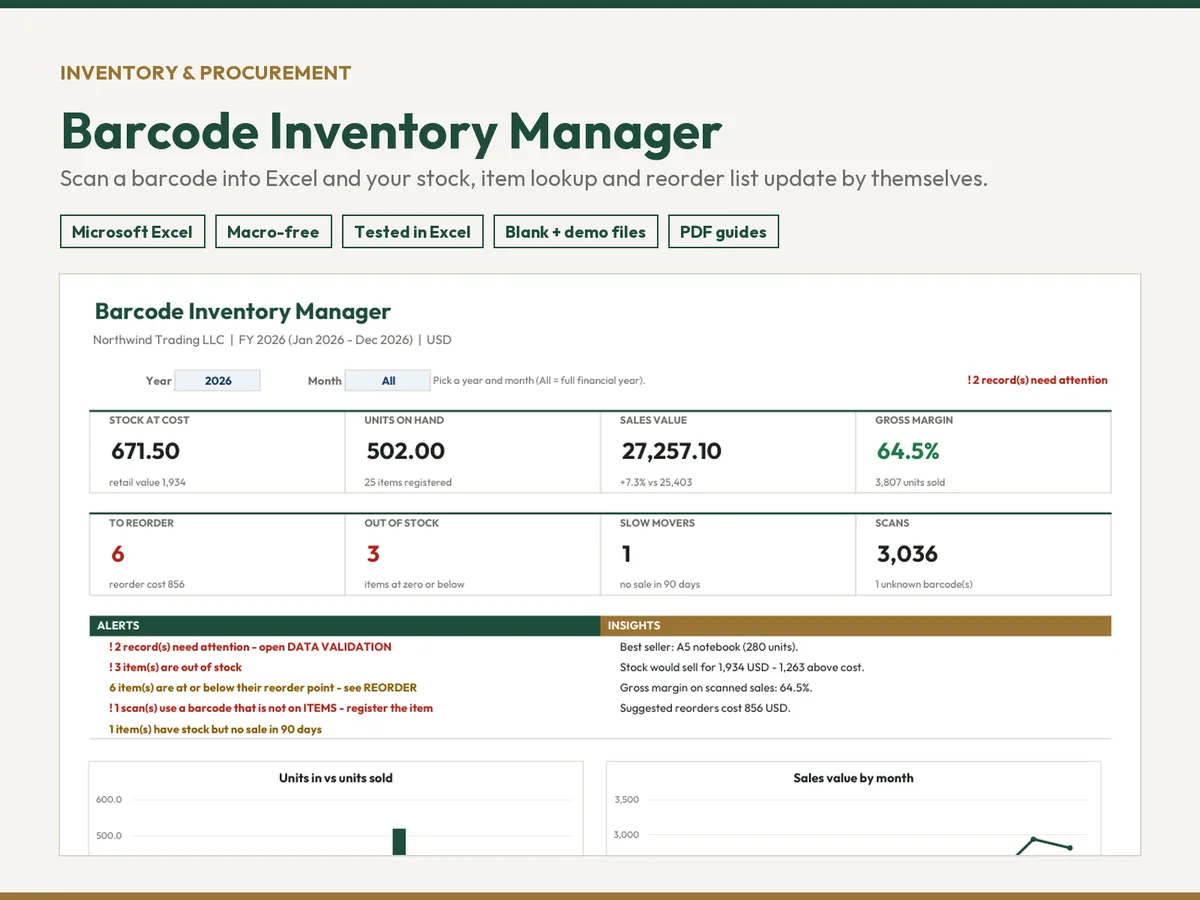
| DASHBOARD | Executive KPIs, charts, alerts and insights for the year/month you pick. |
| SETTINGS | Company name, currency, financial year and every business rule: Default action when Action is blank, Slow-moving after (days without sales). |
| ITEMS | Master list: Item master. |
| SCANS | Your data: Scan log. |
| DATA VALIDATION | Every row checked: missing fields, duplicates, invalid values and business-rule breaks. |
| LOOKUP | Printable report: Item lookup - scan a barcode. |
| REORDER | Printable report: Reorder list. |
| CALCULATIONS | Protected calculation engine behind the dashboard and reports. |
| HELP | Column guide, troubleshooting, compatibility and privacy. |
| CHANGELOG | Version history. |
KPIs on the dashboard
- Stock at cost
- Units on hand
- Sales value
- Gross margin
- To reorder
- Out of stock
- Slow movers
- Scans
Printable reports
- Item lookup - scan a barcode
- Reorder list
What you get
- Barcode_Inventory_Manager_Blank.xlsx — your working copy
- Barcode_Inventory_Manager_Demo.xlsx — filled with fictional sample data
- PDF guides — quick start, user manual, FAQ, licence and version history
Compatibility
- Microsoft 365 / Excel 2021 or later (Windows & Mac)
- Excel for the web for data entry and the dashboard
- Not for Excel 2019 or earlier, Google Sheets or Numbers
- Macro-free, no external connections: your data never leaves your file
Good to know
- Works with scanners in keyboard (HID) mode only; serial/COM-port scanners and mobile scanner apps need their own keyboard-mode setting.
- Barcodes with leading zeros must be stored as text in both ITEMS and SCANS so they match.
- On-hand quantities include all scans to date regardless of the period selected; the period only filters activity figures.
Barcode Inventory Manager
US$39 once. Blank and demo workbooks plus PDF guides, downloaded from your account.